
Printing with ABS plastic can produce harmful fumes and unpleasant odors, which often causes headaches for workshop managers and operators. If you ignore proper ventilation and safety protocols, you risk long-term respiratory issues and a hazardous work environment.
To ensure safe 3D printing with ABS, you must use an enclosure with an active air filtration system (HEPA and carbon filters) or vent fumes directly outside. Always wear personal protective equipment (PPE) like masks when handling post-processing, and maintain a well-ventilated workspace to dilute styrene emissions.
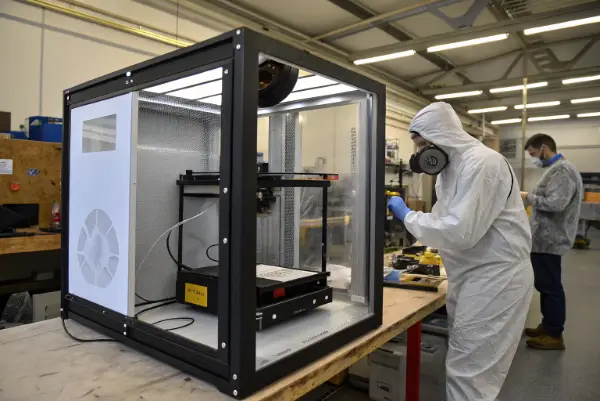
Many engineers love ABS for its strength and heat resistance, but they fear the health risks associated with the printing process. It is a valid concern. I have seen workshops where the air quality was so poor it made it impossible to focus on work. This guide will walk you through exactly how to mitigate those risks so you can use this material confidently.
Are the fumes from ABS printing toxic?
You might smell a strong, acrid plastic odor when printing ABS, and that smell is a warning sign of potential chemical exposure. If you breathe these fumes in for a long time without protection, it can cause eye irritation, headaches, and nausea.
Yes, the fumes from ABS printing are considered toxic because they release volatile organic compounds (VOCs), primarily Styrene. High concentrations of Styrene are classified as a possible human carcinogen and can irritate the eyes, skin, and respiratory system. It also releases ultrafine particles (UFPs) which can settle deep in the lungs.
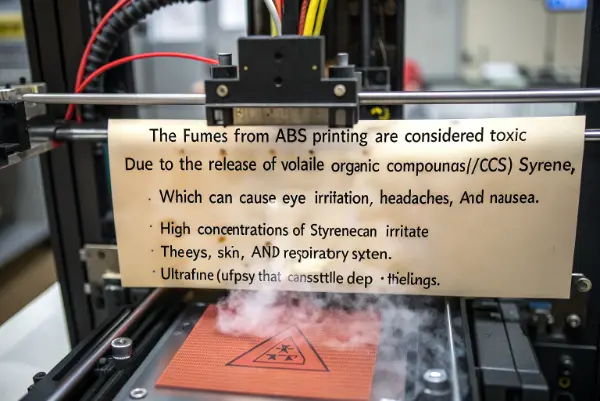
It is important to understand exactly what is happening when you melt ABS filament. We are not just dealing with a bad smell; we are dealing with chemistry. When Acrylonitrile Butadiene Styrene (ABS) is heated to its melting point (around 230-250°C), it breaks down slightly and off-gases.
The main culprit is Styrene. In the industrial molding world, we deal with safety data sheets daily, and Styrene is always flagged. It is not just about the immediate headache. Chronic exposure is the real danger for people like us who spend hours in the shop.
The second issue is Ultrafine Particles (UFPs). These are tiny particles, much smaller than dust. You cannot see them. Because they are so small, your body’s natural filters (like nose hair) cannot catch them. They go straight into your lungs and can enter your bloodstream.
Here is a breakdown of the specific risks involved with ABS emissions:
Common Emissions from ABS Printing
| Emission Type | Primary Component | Health Effect | Detection Method |
|---|---|---|---|
| VOCs | Styrene, Ethylbenzene | Nausea, dizziness, eye irritation | Strong plastic smell, Air Quality Monitor |
| Nanoparticles | UFPs (Ultrafine Particles) | Lung inflammation, cardiovascular stress | Laser Particle Counter (expensive) |
| Gases | Hydrogen Cyanide (trace amounts) | Highly toxic (rare in normal printing) | specialized gas sensors |
Understanding these risks helps us respect the material. We do not need to fear it, but we must respect it. ABS is a fantastic material for functional prototypes, but it demands a higher safety standard than PLA.
Do you need ventilation for 3D printing ABS?
If you run an ABS print in a small, closed bedroom or office, the air quality will deteriorate rapidly within minutes. Without a way to move that contaminated air out or clean it, the toxins will accumulate to dangerous levels.
You absolutely need ventilation for 3D printing ABS; it is not optional. A simple open window is often not enough. You should use an enclosure that vents directly outdoors or a fume extraction system equipped with activated carbon filters to trap VOCs and HEPA filters to capture particles.
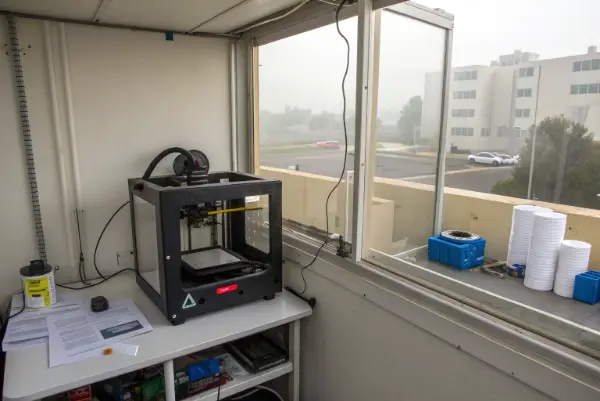
Many people ask me if a fan blowing across the room is enough. The answer is usually no. Dilution ventilation (opening a window) helps, but source capture (an enclosure) is much better.
When I started CavityMold back in 2009, we did some rapid prototyping with early 3D printers. We quickly realized that the open-air design was a mistake for ABS. The ambient temperature changes warped the parts, and the smell gave the technicians headaches.
We solved this with a two-step approach that I recommend to you.
1. The Enclosure Strategy:
An enclosure serves two purposes. First, it keeps the heat in, which stops ABS prints from warping (a common quality issue). Second, it traps the fumes. You can buy printers that are fully enclosed, or you can build a box around your current machine.
2. The Filtration vs. Venting Decision:
Once the fumes are trapped in the box, you have two choices.
- Venting Outside: This is the best option. You use a duct fan to pull air from the enclosure and push it out a window. It removes 100% of the nasty stuff from your room.
- Recirculating Filtration: If you cannot punch a hole in the wall, you need a filter. You need a mix of HEPA (High-Efficiency Particulate Air) for the particles and Activated Carbon for the Styrene gas. Note: A standard dust filter does nothing for Styrene gas. You must have activated carbon.
Comparing Ventilation Methods
| Method | Effectiveness | Cost | Installation Difficulty |
|---|---|---|---|
| Open Window | Low | Free | Easy |
| Enclosure + Carbon Filter | Medium-High | Moderate | Medium |
| Enclosure + Vent Outside | Very High | Moderate | High (requires ducting) |
Think of ventilation as an essential part of your machine, just like the extruder or the heated bed.
What precautions should be taken when printing with ABS?
Ventilation handles the air, but you also need to manage how you interact with the machine and the material physically. Accidents happen when operators get comfortable and forget that they are dealing with high temperatures and chemical byproducts.
When printing with ABS, you should minimize your time near the active printer and ensure the machine is on a fire-resistant surface. Always wash your hands after handling raw filament or printed parts to remove chemical residue, and never eat or drink in the immediate printing area.
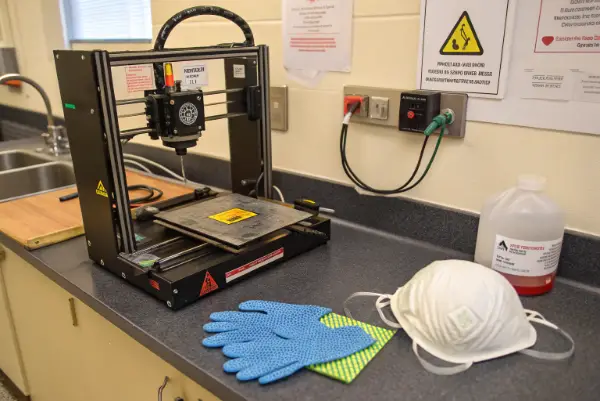
Let’s look beyond just the air quality. Managing an ABS project involves handling the material before, during, and after the print.
I recall a project manager I knew, let’s call him Alex (similar to you), who was great at design but sloppy with safety. He would eat his lunch right next to a bank of printers running ABS. It is a bad habit. The micro-particles settle on surfaces, including your desk and your food.
Here is a checklist of operational precautions you should implement in your workshop:
Fire Safety is Critical:
ABS is flammable. If a heater cartridge fails and undergoes thermal runaway, ABS can ignite.
- Thermal Runaway Protection: Ensure your printer firmware has this enabled.
- Smoke Detectors: Install a smoke detector directly above the printer area.
- Fire Extinguisher: Keep a Class ABC extinguisher within arm’s reach.
Temperature Management:
ABS requires a hot nozzle (240°C+) and a hot bed (100°C).
- Burn Hazard: The heated bed stays hot for a long time. Do not touch the build plate until it cools down.
- Electrical Load: Heating the bed to 100°C takes a lot of power. Check your connectors. I have seen cheap connectors melt because they could not handle the sustained current required for ABS.
Handling the Spool:
ABS filament absorbs moisture from the air (it is hygroscopic). Wet ABS pops and cracks when printing, which releases more particles into the air than dry ABS. Keep your filament in a dry box.
Operational Safety Checklist
- Cleanliness: Wipe down surfaces around the printer weekly with a wet cloth (wet wiping traps dust better than dry dusting).
- Monitoring: Do not leave an ABS print running unattended for days without a camera monitoring system.
- Maintenance: Check the PTFE tube inside your hotend. If you print ABS hot (250°C+), standard PTFE tubes can degrade and release neurotoxins. Upgrade to an all-metal hotend for ABS.
What safety precautions should be taken while using a 3D printer?
General 3D printer safety often gets overlooked in the rush to get a prototype finished. Beyond the specific chemical risks of ABS, the machine itself poses mechanical and electrical hazards that every operator needs to respect.
General safety precautions include keeping long hair and loose clothing tied back to prevent entanglement in moving parts. You must also ensure the printer is electrically grounded and regularly inspect wiring for wear, while keeping a first aid kit nearby for minor burns or cuts from removal tools.
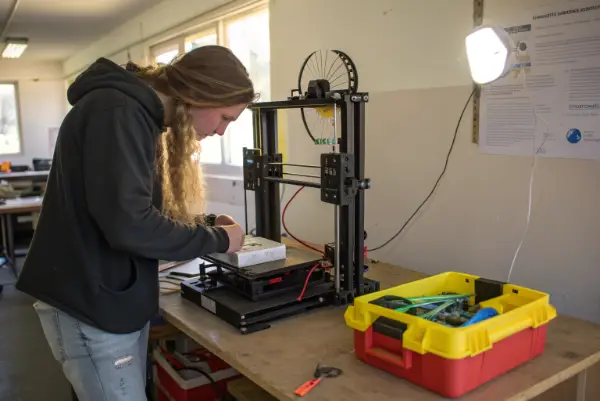
The machine does not care if your finger is in the way. It will move to the next coordinate regardless. In my years at CavityMold, we have had very few accidents because we treat 3D printers with the same respect as our CNC machines.
Mechanical Hazards:
The stepper motors on these machines are surprisingly strong. If you get a sleeve caught in the belt drive, it can pull your hand into the gantry.
- Clearance: Keep the area around the moving bed clear.
- Tools: Scrapers used to remove prints are sharp. Always scrape away from your body. It sounds simple, but slipping and stabbing your hand is the most common 3D printing injury.
Post-Processing Safety (Specifically for ABS):
ABS is often smoothed using Acetone vapor. This is a very popular technique to make 3D prints look like injection molded parts. However, Acetone is highly flammable and irritating.
- Vapor Smoothing: Never heat acetone directly on a stove. Use a controlled method.
- Sanding: Sanding ABS creates dust. If you are sanding, wear a particulate mask (N95 or better). You do not want to inhale ABS plastic dust.
Electrical Safety:
Many desktop 3D printers are built from kits or low-cost components.
- Grounding: Ensure the frame is grounded. If a wire frays and touches the frame, you do not want to get shocked.
- Power Supply: Ensure the PSU is rated for the voltage in your country.
Risk Assessment Matrix for 3D Printing
| Hazard Category | Specific Risk | Prevention Strategy |
|---|---|---|
| Mechanical | Pinch points, cuts | Guards on belts, proper tool usage |
| Electrical | Shock, Fire | Regular inspection, thermal runaway protection |
| Chemical | Solvents (Acetone) | Use chemical-resistant gloves, good ventilation |
| Ergonomic | Repetitive strain | Proper table height, good lighting |
Treat the printer as a tool, not a toy. By standardizing these safety checks, you protect yourself and your team, ensuring that your project timeline isn’t derailed by a preventable injury.
Conclusion
Printing with ABS offers great mechanical properties, but you must respect the toxicity of Styrene fumes. By installing proper ventilation, using an enclosure, and following strict fire and handling safety protocols, you can produce high-quality parts without compromising your health or safety.