
Are your plastic parts failing with unexpected weld lines or sink marks? You’ve followed the design rules, but production issues still cause costly delays and rework. It feels like you’re guessing, hoping each new mold will finally work perfectly, and there must be a better way.
Plastic flow simulation, or Mold Flow Analysis, allows you to digitally prototype the injection molding process. It helps you predict how molten plastic will fill a mold cavity. By identifying potential issues like air traps, weld lines, and warpage early, you can optimize part and mold design, saving significant time and money before cutting steel.

I’ve seen countless projects get stuck right before production because of a design flaw that simulation could have caught. It’s a powerful tool, but its real value comes from looking beyond a simple "will it fill?" analysis. To really master it, we need to dive into the details that separate a good design from a great one. Let’s explore how you can leverage simulation to its full potential.
What Key Simulation Parameters Do Designers Often Overlook?
You set up your flow simulation with standard pressure and temperature settings. The results look okay, but when the part is molded, it doesn’t match the prediction. This gap between simulation and reality can erode trust in the process and leave you troubleshooting problems on the factory floor.
Beyond basic fill time and melt temperature, designers often overlook the cooling channel layout and the mold’s thermal properties. The cooling phase accounts for most of the cycle time and heavily influences warpage and shrinkage. Accurately simulating the mold steel’s temperature and the effectiveness of cooling circuits is crucial for realistic results.
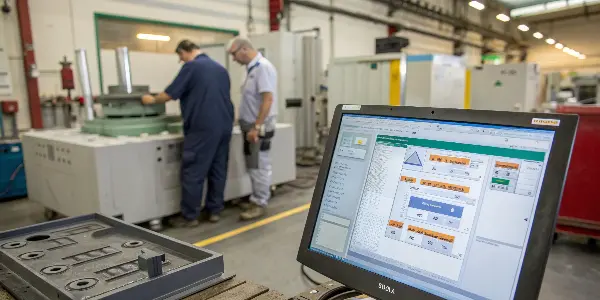
I remember a project involving a large automotive interior panel. The initial simulation showed it would fill perfectly. But we knew the real challenge wasn’t filling; it was controlling the part’s shape after ejection. We had to go deeper than the default settings. So, we started modeling the entire mold base, not just the cavity.
Beyond the Basics: Critical Simulation Inputs
Many designers focus only on the plastic’s behavior during the injection phase. But the interaction between the molten plastic and the steel mold is where the real magic happens. Accurately defining this relationship in an analysis makes a world of difference.
- Mold Thermal Properties: Instead of assuming a uniform mold temperature, you should input the specific thermal conductivity of the mold steel (like P20 or H13). Modeling the actual cooling channels provides a realistic temperature distribution across the mold surface, which directly affects how the part cools and warps.
- Coolant Flow Rate: The temperature and flow rate of the coolant (usually water) are critical inputs. A slow flow rate might not remove heat fast enough, leading to longer cycle times and unpredictable warping.
- Ejection Temperature: Simulating until the part reaches a safe ejection temperature gives you a much better prediction of its final, post-rejection shape. This is far more valuable than just looking at the in-mold result.
Here’s a quick comparison of a basic versus an advanced simulation setup.
| Parameter | Basic Setup (Often Inaccurate) | Advanced Setup (More Realistic) |
|---|---|---|
| Mold Temperature | Uniform, single value (e.g., 60°C) | Dynamic, calculated from cooling channels |
| Cooling Analysis | Skipped or simplified | Fully modeled with coolant type, flow, and temp |
| Material Data | Generic grade from database | Specific grade from supplier, including PVT data |
| Machine Specs | Default injection press | Specific machine clamp tonnage and screw specs |
Focusing on these advanced parameters transformed our automotive panel project. We identified hot spots in the tool and redesigned the cooling layout before any steel was cut. It’s this deep dive that turns simulation from a simple check into a powerful predictive tool.
How Does Material Selection Drastically Impact Simulation Accuracy?
You chose a material from the software’s default library. The simulation looks promising, but the real molded parts have blemishes or fail strength tests. The problem often lies in the generic material data, which doesn’t capture the subtle behavior of the specific grade you are using for production.
To achieve high simulation accuracy, you must use material data specific to the exact polymer grade from your supplier. This data should include pressure-volume-temperature (PVT) information, which governs shrinkage, and viscosity curves for various shear rates. Generic data simply cannot predict the nuanced flow and cooling behavior of a specific material blend.
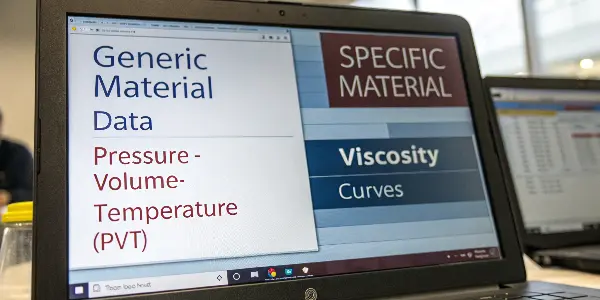
We once worked on a medical device housing made from a special polycarbonate blend. The generic PC data we first used showed no issues. But when we got the specific data file from the material supplier, the simulation immediately flagged a high risk of warpage and potential for jetting near the gate. This early warning was invaluable.
Sourcing and Using High-Fidelity Material Data
Not all material data is created equal. The default library in your simulation software is a great starting point, but for an important project, it’s not enough. You need to dig a little deeper to get data that reflects reality.
- Contact Your Supplier: The best source for accurate material data is the material manufacturer itself. They perform extensive lab tests and can often provide a
.udbor similar file format that you can import directly into your simulation software. This file contains the exact melt flow, thermal, and mechanical properties of the grade you plan to purchase. - Understand PVT Data: This is perhaps the most critical dataset for predicting shrinkage and warpage. PVT (Pressure-Volume-Temperature) data describes how the density of the plastic changes as it cools under pressure. Without accurate PVT data, your warpage predictions are just a guess.
- Consider Fiber Orientation: For fiber-filled materials (like glass-filled nylon), the orientation of the fibers during flow dramatically affects the part’s mechanical properties and shrinkage. An advanced simulation will predict this fiber orientation, giving you a much clearer picture of how the final part will behave.
Here’s why using specific data is non-negotiable for critical applications.
| Data Aspect | Generic Material File | Supplier’s Specific File | Impact on Results |
|---|---|---|---|
| Viscosity | Average values for material type | Precise curves for the specific grade | Predicts fill pressure and shear heating accurately |
| PVT Behavior | Estimated based on material family | Measured data for the exact formulation | Essential for accurate shrinkage/warpage prediction |
| Fiber Data | May be absent or simplified | Detailed fiber properties and orientation models | Critical for predicting anisotropic shrink in reinforced parts |
| Mechanicals | Basic tensile and flexural modulus | Full stress-strain curves post-molding | Allows for more accurate structural (FEA) analysis |
The lesson is clear: your simulation is only as good as the data you feed it. Taking the time to secure specific material files is one of the highest-return activities you can do to ensure your analysis reflects what will happen on the molding machine.
Can You Truly Predict and Mitigate Warpage with Simulation?
You’ve designed a perfectly flat part in CAD, but the molded samples come out twisted and bent. This frustrating problem, known as warpage, can render a product useless. You rerun the simulation, but the results don’t seem to offer a clear solution, leaving you to guess at the fix.
Yes, you can accurately predict and mitigate warpage, but it requires a comprehensive simulation that goes beyond a simple fill analysis. A full "Cool + Pack + Warp" analysis is needed. This simulates the entire process, including cooling-induced stresses and differential shrinkage, which are the primary causes of warpage. The results directly guide corrective actions.
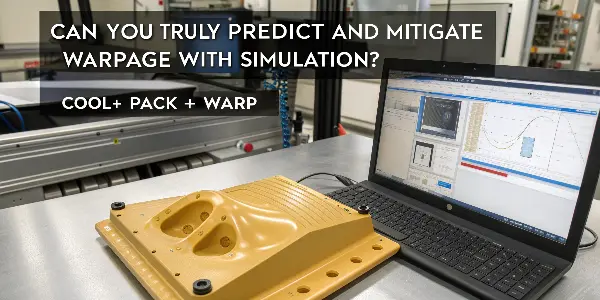
I dealt with a thin-walled electronics enclosure that kept bowing in the middle. The fill analysis was perfect, so the team was stumped. It was only when we ran a full warpage analysis that the problem became obvious. One side of the mold was cooling much faster than the other. This differential cooling was pulling the part out of shape as it solidified.
From Prediction to Solution: A Warpage Workflow
Predicting warpage is only half the battle; the real goal is to fix it. A good warpage analysis doesn’t just show you the problem, it helps you isolate the cause and test potential solutions digitally.
- Isolate the Cause: The software can break down the causes of warpage into categories. Is it due to differential shrinkage, differential cooling, or fiber orientation effects? Knowing the primary cause helps you focus your efforts. For our enclosure, the "differential cooling" result was over 80% of the cause. This told us to focus on the mold’s cooling system, not the part geometry.
- Test Solutions Digitally: Once you know the cause, you can propose a fix and test it in the software. This is far cheaper and faster than modifying the actual steel tool. We tested three different cooling channel layouts in the simulation before finding one that balanced the temperature across the mold.
- Evaluate Part Design Changes: Sometimes the fix is in the part, not the mold. You might need to add ribs to increase stiffness, adjust wall thicknesses to promote even cooling, or change the gate location to alter the filling pattern and fiber orientation.
This table shows a typical workflow for addressing a warpage issue identified in a simulation.
| Step | Action | Example: Bowed Enclosure |
|---|---|---|
| 1. Run Full Warp Analysis | Simulate Fill, Pack, and Cool phases to get a baseline warpage prediction. | The simulation confirmed the part was bowing by 1.5mm. |
| 2. Deconstruct Results | Use the software’s tools to identify the main cause of the warpage. | Differential cooling was identified as the primary contributor (82%). |
| 3. Propose a Solution | Based on the cause, create a hypothesis to fix it. | Hypothesis: Add more cooling channels to the hotter side of the mold. |
| 4. Test the Solution | Modify the simulation model (e.g., add the new channels) and rerun the analysis. | The new simulation showed warpage was reduced to 0.3mm, which was acceptable. |
| 5. Implement in Steel | With confidence from the simulation, modify the real tool design. | The mold was built with the optimized cooling layout, and the parts were straight. |
By following a structured approach like this, you can move from simply seeing a problem to systematically solving it before it impacts production.
How Do You Translate Simulation Data into Real-World Design Improvements?
You have a 20-page simulation report filled with colorful plots and technical data. It all looks very impressive, but you’re not sure what to do next. How do you turn these complex results into simple, actionable changes to your part or mold design?
Focus on three key outputs: fill pattern, pressure prediction, and temperature plots. Analyze the fill pattern to reposition gates and eliminate weld lines. Use pressure predictions to ensure the part can be molded. Use temperature plots to adjust wall thickness or cooling, which directly impacts cycle time and part quality.
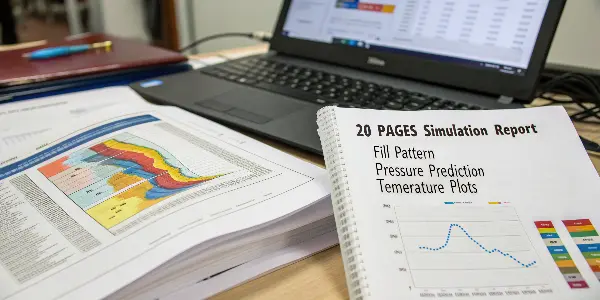
One of the most common mistakes I see is designers getting lost in the data. On a recent project for a consumer product with a high-gloss finish, the report showed a "weld line" right on the main cosmetic surface. Instead of just noting it, we used the "Fill Time" plot to figure out why it was forming. We saw that two flow fronts were meeting there. The solution was simple: we moved the gate to a less conspicuous area, which changed the fill pattern and moved the weld line to a hidden edge.
Turning Plots into Actionable Insights
The simulation report is not the final product; it’s a guide for decision-making. Thinking like a detective, you can use the plots to uncover design weaknesses and propose concrete improvements.
- The Fill Time Plot: This animation shows how the plastic fills the cavity. Look for hesitation, race-tracking (where plastic flows faster in thicker sections), and the final location of weld lines. Your goal is a balanced, uniform fill. If you see an issue, you might need to move the gate or adjust the wall thickness to guide the flow.
- The Pressure Plot: The "Pressure at End of Fill" plot tells you if your part is even moldable with a given machine. If the predicted pressure is too high, the machine won’t be able to fill the part. This is a clear signal to increase wall thickness, add flow leaders, or switch to an easier-flowing material.
- The Temperature Plot: This is crucial for identifying potential hot spots that could extend cycle time or cause sink marks. The "Temperature at End of Cooling" plot is particularly useful. If one area is still very hot when the part is ejected, it’s a prime candidate for warping or sink. The fix could be adding local cooling to the mold or coring out thick sections of the part.
Here’s how to translate what you see into what you do.
| If You See This Plot… | It Means… | Your Action Should Be… |
|---|---|---|
| A weld line on a cosmetic surface | Two plastic flow fronts are meeting in a visible area. | Move the gate location to shift the weld line to a non-cosmetic area. |
| Very high injection pressure (red areas) | The plastic is struggling to flow through a thin section. | Increase the wall thickness in that area or change the gate to be closer to it. |
| An isolated hot spot at ejection | An area is not cooling effectively, risking warpage or sink. | Add ribs or core out the thick section; ask the mold maker to add dedicated cooling. |
| Large, unbalanced flow paths | The part fills unevenly, causing high stresses. | Adjust wall thicknesses or add flow leaders/deflectors to balance the polymer flow. |
By systematically reviewing these key plots and asking "How can I fix this?", you can turn a dense simulation report into a simple to-do list for design optimization.
Conclusion
Plastic flow simulation is more than just a validation check. Used correctly, it becomes an essential design tool that helps you innovate with confidence. By looking past basic settings and digging into material specifics, warpage analysis, and actionable data, you can prevent problems and optimize performance before production begins.