
Designing a complex plastic part can feel like navigating a maze. You followed all the basic rules, but the final product still gets stuck, warped, or scuffed. This can lead to costly mold rework and project delays, leaving you wondering where you went wrong with your design.
For complex geometries, the standard 1–2 degree draft angle is just a starting point. A successful design requires a deeper analysis. You must consider factors like surface texture, material shrinkage, wall thickness, and intricate features like ribs or bosses. Tailoring the draft angle to these specific conditions is crucial to prevent molding defects and ensure clean part ejection, saving both time and money in production.
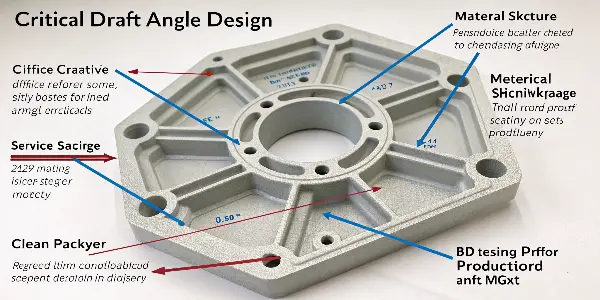
The simple rules of thumb for draft angles are a great foundation. I use them myself for initial concepts. But they don’t cover the full picture, especially when the part’s geometry gets tricky. To truly master the design for manufacturing and avoid problems, we need to dig into the details that make or break a complex part. Let’s look at those details more closely.
How Do Surface Textures and Finishes Affect Draft Angles?
You’ve specified a beautiful, high-end texture for your product’s housing. It looks great in the CAD model. But during the first molding trial, the parts come out with ugly drag marks, completely ruining the finish. The problem often isn’t the mold, but insufficient draft for that texture.
Textured surfaces require significantly more draft than smooth, polished ones. The texture creates microscopic undercuts that grip the mold surface. To overcome this, you must increase the draft angle. A general rule is to add 1 to 1.5 degrees of draft for every 0.001 inch (0.025mm) of texture depth.
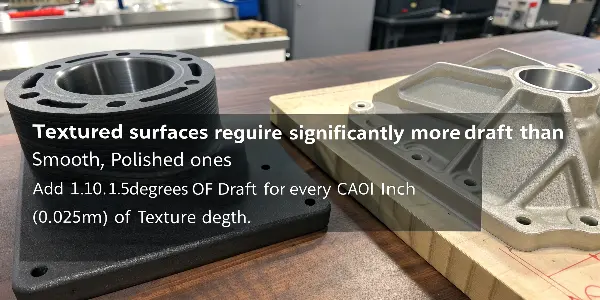
I remember a project for a client who wanted a deep, leather-like grain on a handheld electronic device. We started with what seemed like a safe 3 degrees of draft. The first trial parts were a disaster. The entire textured face was scuffed from being dragged against the mold steel during ejection. We had to take the mold apart and re-machine the core to increase the draft to 5 degrees. It was a stark reminder that texture isn’t just a visual choice; it’s a critical mechanical feature that directly impacts mold release.
Understanding the Mechanism
A textured surface on a mold is created by processes like acid etching or bead blasting. These processes create a rough surface with tiny peaks and valleys. When plastic is injected, it flows into every crevice, perfectly replicating this texture. During ejection, the part must be pulled straight out. Without enough draft, the textured plastic surface scrapes against the textured steel wall, causing friction and damage. The added draft angle ensures that from the moment the part starts moving, it is separating from the mold wall, not dragging along it.
Matching Draft to Texture Specifications
Different textures have different depths and require different minimum draft angles. We often use standards like the Mold-Tech (MT) or VDI texture specifications to communicate finish requirements. Each of these has a recommended draft associated with it.
Here’s a simple guide to help visualize the relationship:
| Texture Type | Texture Depth | Recommended Minimum Draft Angle |
|---|---|---|
| Light Matte | 0.0005" / 0.012mm (MT-11010) | 2.0° per side |
| Medium Bead Blast | 0.001" / 0.025mm (SPI-D-1) | 3.0° per side |
| Leather Grain | 0.002" / 0.050mm (MT-11030) | 5.0° per side |
| Heavy Wood Grain | >0.003" / >0.075mm (Custom) | 7.0°+ per side |
Always confirm the texture depth with your supplier and adjust the draft angle accordingly. It’s a small detail in the design phase that prevents a massive headache in production.
What’s the Role of Material Selection in Determining Draft?
You’ve finalized your part design with the perfect draft angles. But at the last minute, marketing requests a switch to a different polymer for better impact resistance. Suddenly, your perfectly designed part is sticking in the mold. The material choice has completely changed the game.
Different plastic materials have different shrink rates, which directly impact how tightly the part grips the mold core. High-shrinkage materials like Polypropylene or Nylon will shrink more and cling tighter, requiring a greater draft angle for release. Low-shrink materials like ABS or Polycarbonate may require less draft.
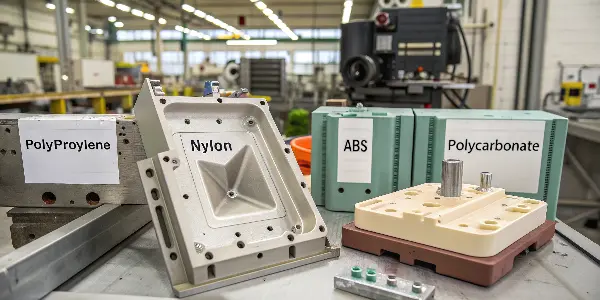
Early in my career, I was working on a project for a set of nesting containers made from Polypropylene (PP). We designed it with a standard 1.5-degree draft. The parts were deep, but we thought it was enough. The problem was, PP has a high shrink rate. As the parts cooled, they shrank tightly onto the mold cores like a vise. Ejector pins were punching holes right through the plastic because the parts simply wouldn’t let go. We had to increase the draft to 3 degrees to get a clean release. That experience taught me to always consider the material properties first.
Shrinkage and its Effect on Ejection
When molten plastic cools in the mold, it shrinks. The part shrinks away from the cavity walls, which makes it easier to pull out. But it also shrinks onto the core, gripping it tightly. The higher the material’s shrink rate, the stronger this gripping force becomes. Adding draft creates a taper that helps break this grip as soon as the ejection system engages. For high-shrink materials, that taper needs to be more aggressive.
Common Materials and Draft Considerations
The stiffness of a material also plays a role. A flexible material like TPE can sometimes be ejected with less draft because the part itself can bend and peel away from the core. A rigid material like glass-filled Nylon will not flex, so it needs adequate draft to avoid damage.
Here’s a quick reference table for some common materials:
| Material Type | Common Shrink Rate | Stiffness | Recommended Draft Angle Range |
|---|---|---|---|
| ABS (Acrylonitrile Butadiene Styrene) | 0.4% – 0.7% | Rigid | 1.0° – 2.0° |
| PC (Polycarbonate) | 0.5% – 0.7% | Rigid | 1.0° – 2.0° |
| PP (Polypropylene) | 1.0% – 2.5% | Semi-Rigid | 2.0° – 3.5° |
| HDPE (High-Density Polyethylene) | 1.5% – 3.0% | Semi-Rigid | 2.0° – 4.0° |
| Nylon (Polyamide), Unfilled | 0.8% – 2.0% | Semi-Rigid | 1.5° – 3.0° |
| Nylon, 30% Glass Filled | 0.2% – 0.5% | Very Rigid | 0.5° – 1.5° (carefully) |
Notice how glass-filled Nylon has a low shrink rate. The glass fibers prevent the plastic from shrinking much, so it requires less draft. However, because it’s so rigid and abrasive, the part surface must be perfectly polished to prevent sticking. Every material has its own unique personality.
How Should You Handle Draft for Ribs, Bosses, and Other Features?
You’re trying to add strength to a part with ribs and create mounting points with bosses. You add your standard 1-degree draft to everything. But when the parts are molded, the thin, deep ribs are breaking off during ejection, and the bosses show stress marks.
Isolated features like ribs and bosses require special attention because they are tall and thin. They need more draft than the main walls of the part. A good rule of inrush is to provide at least 1.5 to 2 degrees of draft per side for ribs and bosses to ensure they release smoothly without breaking or warping.
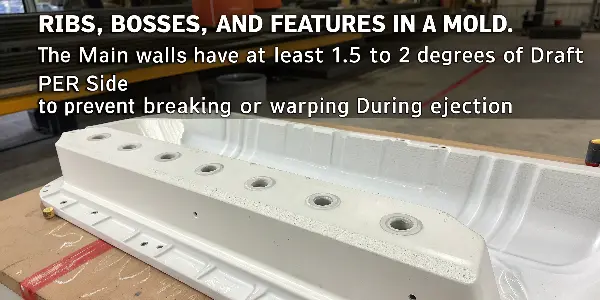
I worked on a casing for a power tool that was full of deep, intersecting ribs for structural support. We followed the general part guideline of 1.5 degrees draft. The first shots showed that the ribs in the deepest sections of the part were cracking. The ejection force was too high for these thin features. The solution involved a two-part mold modification. First, we increased the draft on the deeper ribs to 2.5 degrees. Second, we cored out the base of the rib intersections to prevent thick sections of plastic, which helped reduce sink marks and stress. This complex geometry required a strategy beyond a single draft value.
Why Ribs and Bosses Are Different
Ribs and bosses present a unique challenge because of their high aspect ratio—they are often much taller than they are wide. This creates a large surface area in the direction of pull relative to their cross-sectional strength. As the part is ejected, all the frictional force is concentrated on this small, relatively weak feature. Without enough draft, the ejection force can exceed the strength of the plastic, and the feature will shear off or get damaged.
Best Practices for Drafting Features
When designing complex parts with many features, you can’t use a one-size-fits-all approach. You need to think about each feature individually.
Ribs
- Height-to-Width Ratio: Keep ribs shorter than three times their thickness. Taller ribs need more draft.
- Draft Angle: Start with 1.5 degrees minimum per side. For ribs taller than 1 inch (25mm), consider using 2-3 degrees.
- Base Fillet: Add a radius at the base of the rib where it meets the main wall. This strengthens the rib and helps reduce stress.
Bosses
- Draft on Both Walls: Bosses have an outside wall and an inside (core pin) wall. Both need draft. The inside wall often needs more draft, as plastic will shrink onto the core pin.
- Disconnect from Walls: Avoid placing bosses right up against a wall. Connecting them with a small rib is better for plastic flow and cooling.
- Ejector Pin Location: Often, ejector pins are placed on or around bosses to provide direct force where it’s needed most.
Properly drafted features are the key to a robust and manufacturable part. They ensure the part not only functions as intended but also survives the molding process intact.
How Can Simulation Tools Refine Your Draft Angle Strategy?
You’ve designed a highly complex part with twisting surfaces and multiple features. You’ve applied draft based on experience and guidelines, but you’re still not 100% confident. A mold modification on this part would be extremely expensive. How can you be sure before cutting steel?
Mold-filling simulation software, or Moldflow analysis, provides a powerful way to validate your design. These tools can run a "draft analysis" that color-codes the surfaces of your part based on their angle relative to the direction of pull, instantly highlighting areas with insufficient or zero draft.
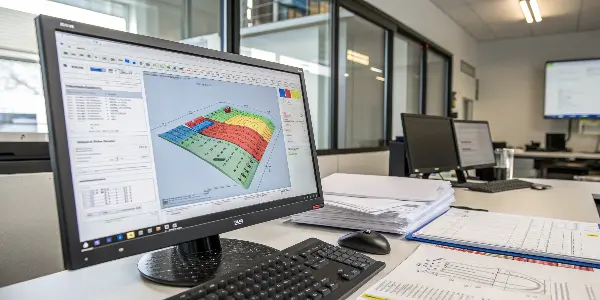
On a recent medical device project, the housing had an ergonomic, organic shape that was beautiful but very difficult to analyze manually. There were no flat surfaces to measure from. We ran a draft analysis in our simulation software, and it immediately lit up several areas in red, indicating negative draft. These were subtle undercuts we had completely missed during the design review. The software didn’t just find the problem; it allowed us to test different parting line strategies and fine-tune the draft angles virtually. Finding those issues in software saved us at least a week of mold rework and thousands of dollars.
The Power of Virtual Testing
A draft analysis is one of the simplest yet most valuable simulations you can run. Here’s what it does:
- Define a Pull Direction: You tell the software the direction the mold will open.
- Set the Draft Threshold: You input your desired minimum draft angle (e.g., 2 degrees).
- Analyze and Visualize: The software analyzes every single surface on your model. It then color-codes the part:
- Green: Indicates areas with sufficient positive draft. These will release easily.
- Yellow: Indicates areas that are close to the threshold or have zero draft (straight walls). These are potential problem areas.
- Red: Indicates areas with negative draft, also known as undercuts. These areas will get stuck in the mold unless a side-action or lifter is used.
Beyond a Simple Check
Modern simulation tools can do more than just check for draft. They can predict how the part will eject from the mold. By simulating ejection forces, you can see if a specific feature, like a tall rib with minimal draft, is likely to stick or break. If the analysis shows a very high ejection force is needed, it’s a clear sign that you need to go back and add more draft to that area. This predictive capability allows you to move beyond simple guidelines and base your design decisions on hard data, ensuring your design is right the first time. It is an essential step for any part with complex geometry.
Conclusion
The basic 1-2 degree rule for draft is a helpful starting point, but it’s not enough for complex parts. To truly master injection mold design, you must look deeper. By considering surface texture, material choice, and specific feature geometry, you create parts that are robust and easy to manufacture.