
Are you tired of seeing perfectly good parts rejected because of a few surface scratches? These defects can halt production, inflate costs, and damage your reputation with clients. The real frustration is that a "scratch" isn’t just one problem; it’s a symptom that could point to a dozen different root causes, leaving you guessing where to even begin fixing it.
Scratches on injection molded parts are typically caused by the mold, the process, or post-molding handling. To identify the root cause, examine the scratch’s characteristics. Straight, parallel lines often indicate drag marks from ejection. Fine, repetitive patterns suggest tooling marks from the mold surface itself. Random, multi-directional scuffs usually point to improper handling. By visually diagnosing the type of scratch, you can quickly pinpoint and resolve the underlying issue.
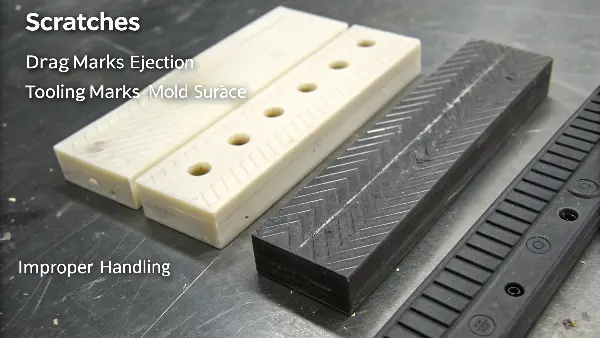
But how do you tell one type of scratch from another when they all just look like annoying defects? It’s not always obvious at first glance. That’s why I’ve put together this guide based on the issues I’ve seen and solved over my career. We’ll break down the common types of scratches, look at what they tell you, and figure out how to fix them for good. Let’s dive in and turn you into a defect detective.
How to Identify Ejection or Drag Marks?
You’re inspecting a batch of parts and notice long, straight lines, all running in the same direction. These marks aren’t random; they follow the path the part takes when leaving the mold. This is a classic sign of a fight between your part and your tool during ejection, a conflict that can damage parts, wear down your mold, and slow down your entire production cycle.
Ejection or drag marks are straight-line scratches that run parallel to the direction the part is pushed out of the mold. They are caused by insufficient draft angles, rough cavity surfaces, or issues with the ejection system. You’ll most often find them on deep ribs or tall, vertical walls where the plastic part scrapes against the mold steel during release, indicating excessive friction.
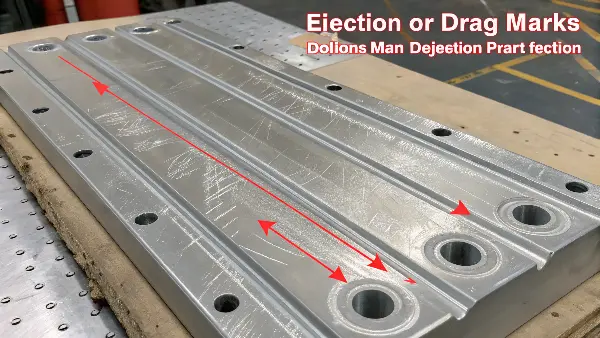
When I see drag marks, I immediately think about the part’s exit strategy from the mold. It should be a smooth release, not a forced extraction. These marks are telling you there’s too much friction somewhere in that process. The first thing to check is the draft angle. Think of it like trying to pull a perfectly straight-sided cup out of wet sand versus one with tapered sides. The taper, or draft, makes release effortless. Without enough draft (usually at least 1-2 degrees per side), the vertical walls of the part will scrape against the mold steel on the way out.
Another common culprit is the surface finish of the mold itself. If the steel in the cavity or on the core has a rough texture, it acts like sandpaper against the cooling plastic. Even with a decent draft angle, a poorly polished surface can create fine, uniform drag marks. This is why specifying the correct SPI (Society of the Plastics Industry) finish is critical during the mold design phase. A smooth, polished surface simply has less for the plastic to grab onto. Finally, we have to look at the ejection system itself. Ejector pins that are misaligned, have rough faces, or apply uneven pressure can gouge the part as they push it out. Sometimes, the issue is process-related. Over-packing the mold with too much injection pressure can cause the part to shrink tightly onto the core, making it much harder to eject cleanly.
Here’s a quick table to help diagnose the issue:
| Cause | Visual Cue | Solution |
|---|---|---|
| Insufficient Draft Angle | Scratches on vertical walls or deep ribs. | Review part design and increase the draft angle. |
| Rough Mold Surface | Fine, consistent scratches in the direction of pull. | Polish the mold cavity/core to a higher SPI finish. |
| Ejector Pin Issues | Circular marks or gouges near pin locations. | Check pin alignment, polish pin faces, or adjust pressure. |
| Over-packing/Shrinkage | Scratches are more severe on the core side. | Reduce injection pressure, hold time, or melt temperature. |
What Causes Tooling or Machining Marks to Appear on Parts?
Have you ever noticed a very consistent, patterned set of fine lines or swirls on your molded parts? It might look like a wood grain pattern or the subtle arcs of a rainbow. This isn’t a random defect from handling; it’s a perfect copy of the mold’s surface. This means the flaw isn’t in your process—it’s permanently etched into your tool, and every part you make will carry its signature.
Tooling or machining marks are fine, repetitive patterns on a molded part that directly replicate the surface of the mold cavity. They are caused by the cutting tools used during the mold’s manufacturing, such as CNC milling, grinding, or EDM. If the mold surface is not polished to the specified finish after machining, these microscopic imperfections will be transferred to every part produced.
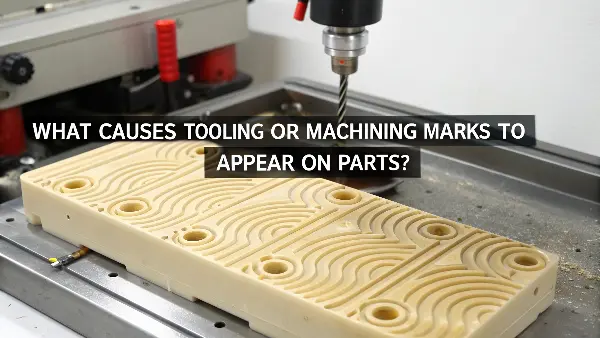
Remember, an injection mold is the "negative" of your part. Any imperfection on the mold’s surface, no matter how small, will become a "positive" feature on your final product. When a mold is built, it goes through several machining processes, and each leaves a distinct fingerprint. CNC milling, for example, can leave behind faint, arcing lines called scallops from the path of the cutting tool. Surface grinding creates very fine, perfectly parallel lines. Electrical Discharge Machining (EDM), which is often used for creating sharp corners or complex features, leaves a unique matte or slightly pitted texture.
After these machining operations, the mold must be painstakingly polished by hand to achieve the desired surface finish. This is a highly skilled process. If this step is rushed or not done to the correct standard, those machining marks remain. When you inject hot plastic under high pressure, it fills every single one of those microscopic grooves, perfectly replicating the unfinished tool surface. The solution here has nothing to do with your molding machine settings. The mold has to be pulled from the press, sent back to the toolroom, and polished correctly. This is why it’s so important to clearly define the required surface finish (e.g., SPI-A1 for a mirror finish, SPI-C3 for a standard matte finish) with your mold maker from the very beginning.
Are Handling and Contamination Scratches a Sign of a Deeper Problem?
It’s one of the most frustrating scenarios in manufacturing. The parts coming directly out of the machine look flawless. But by the time they get to the assembly line or into the final packaging, they’re covered in random scuffs and scratches. You’ve perfected the molding cycle, yet your scrap rate is still high. This means the problem isn’t the mold; it’s everything that happens after the part is created.
Yes, handling and contamination scratches are often a sign of a deeper process control problem. These scratches are typically random in direction and location, caused by parts rubbing against each other in a collection bin, scraping on conveyors, or being marred by debris inside the mold. They indicate a need to improve your entire post-molding system, from part removal to final packaging.
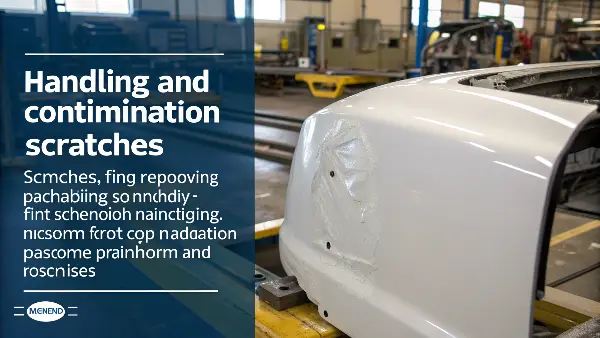
These types of scratches are chaotic. They go in all directions, vary in depth, and appear in different locations on each part. This randomness is your biggest clue. The most common cause is how parts are collected. If they are simply dropped out of the machine into a large cardboard box or plastic bin, they will hit and rub against each other. This is especially damaging when the parts are still warm and the surface is slightly soft. Hard, sharp-edged plastics are particularly prone to scratching each other.
The journey from the press to the box is also full of potential hazards. Conveyor belts with rough surfaces, sharp metal guides, or abrupt drops can all leave their mark. Even manual handling by operators can be a source of scratches if they aren’t using proper procedures, like wearing gloves or placing parts on soft, non-abrasive surfaces. Another, more subtle cause is contamination inside the mold. A tiny fleck of hardened plastic, a piece of dirt, or even a burr of metal can get stuck in the cavity. On the next cycle, the mold closes and presses that debris into the surface of the new part, causing a distinct pit or scratch. This type of scratch will often appear in the exact same spot for several cycles until the contaminant is dislodged or removed during a mold cleaning. Fixing these issues requires a holistic view of your production line. It might mean investing in custom trays, layer packaging, robotic handling with soft grippers, or implementing a strict mold cleaning schedule.
How Do You Differentiate Between Gloss Level Scratches and Physical Gouges?
You see a long, streaky mark on your part’s surface. It catches the light and looks like a scratch, but when you run your fingernail over it, you can’t feel a thing. Is it a real scratch or something else entirely? Misdiagnosing this defect can send you on a wild goose chase, wasting hours trying to polish a mold when the real problem is in your processing parameters.
A physical gouge is a tangible depression you can feel, caused by mechanical damage from the mold or handling. In contrast, a gloss level scratch, also known as a flow mark or blush mark, is a visual-only defect. It’s a difference in surface texture and light reflection caused by variations in how the plastic fills the mold, often related to melt temperature, injection speed, or mold temperature.
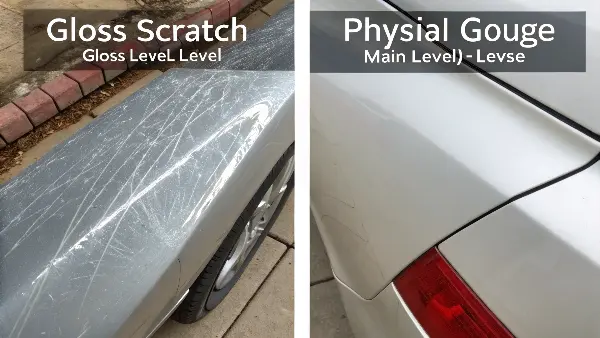
The "fingernail test" is the simplest and most effective diagnostic tool here. If you can feel the defect, it’s a physical scratch or gouge. The cause is mechanical, as we’ve discussed—drag marks, handling damage, or contamination. The fix is also mechanical: polish the mold, adjust the ejectors, or improve your part handling procedures.
If the surface is perfectly smooth, you’re looking at a gloss or flow mark. This is a processing issue, not a tool issue. It happens when the molten plastic flows through the mold cavity and cools at different rates. This variation causes the polymer molecules to "freeze" in different orientations, which in turn makes them reflect light differently. One area might look shiny while another looks dull, creating the appearance of a scratch. Common causes include a mold that’s too cold, which makes the plastic "skin" freeze too quickly as it flows. A slow injection speed can have a similar effect, as the flow front has too much time to cool before the mold is fully packed out. The location of the gate is also critical. A poorly placed gate can cause "jetting," where a stream of plastic shoots across the cavity and creates a visible flow pattern. The solution lies in adjusting your process parameters—try increasing the mold temperature, boosting the injection speed, or ensuring your material is properly dried.
| Feature | Physical Gouge/Scratch | Gloss Level Scratch (Flow Mark) |
|---|---|---|
| Feel | Can be felt with a fingernail. | Smooth to the touch. |
| Appearance | A clear line, depression, or groove. | A change in shininess or dullness. |
| Primary Cause | Mechanical damage. | Material flow & thermal variation. |
| Typical Fix | Polish mold, adjust ejection, improve handling. | Adjust process (temp, speed), dry material. |
Conclusion
Scratches on your molded parts are more than just surface-level flaws; they are clues. By learning to read them, you can quickly diagnose the root cause of the problem. Whether it’s a drag mark pointing to a draft angle issue, a tooling mark revealing a need for better mold polishing, or a random scuff that signals a handling problem, each defect tells a story.